NOTE: These posts are being re-created from old Jamf Nation posts not because they are the best but because they may have useful things that were mangled in the Jamf Nation transition to its most recent hosting platform.
That, & they were always supposed to be blog posts anyway… I didn’t have a blog then.
It is an objective fact that The Beach Boys are one of the 5 most overrated musical acts of all time (the others are The Who, The Doors, The Grateful Dead, & Elvis Presley). However, that discussion will have to wait for another time & place…
It is fun when you can still do something slightly interesting with .plist modification.
To wit: a thing for customizing the toolbar in Safari. I am not going to make a script, I’ll leave that to you, but, here are the raw ingredients:
crntusr=$(stat -f %Su /dev/console)
sudo -u "$crntusr" defaults read /System/Volumes/Data/Users/"$crntusr"/Library/Containers/com.apple.Safari/Data/Library/Preferences com.apple.Safari.plist 'NSToolbar Configuration BrowserStandaloneTabBarToolbarIdentifier'
sudo pkill -ail Safari
sudo -u "$crntusr" /usr/libexec/PlistBuddy -c "add 'NSToolbar Configuration BrowserStandaloneTabBarToolbarIdentifier':'TB Item Identifiers':4 string HomeToolbarIdentifier" /System/Volumes/Data/Users/"$crntusr"/Library/Containers/com.apple.Safari/Data/Library/Preferences/com.apple.Safari.plist
- An entry is created in the array:
'NSToolbar Configuration BrowserStandaloneTabBarToolbarIdentifier':'TB Item Identifiers'
- In this example the Home page button is added
- An index is chosen for where the button should be positioned relative to what is already on the toolbar
- The index order is from left to right
open /System/Applications/Safari.app
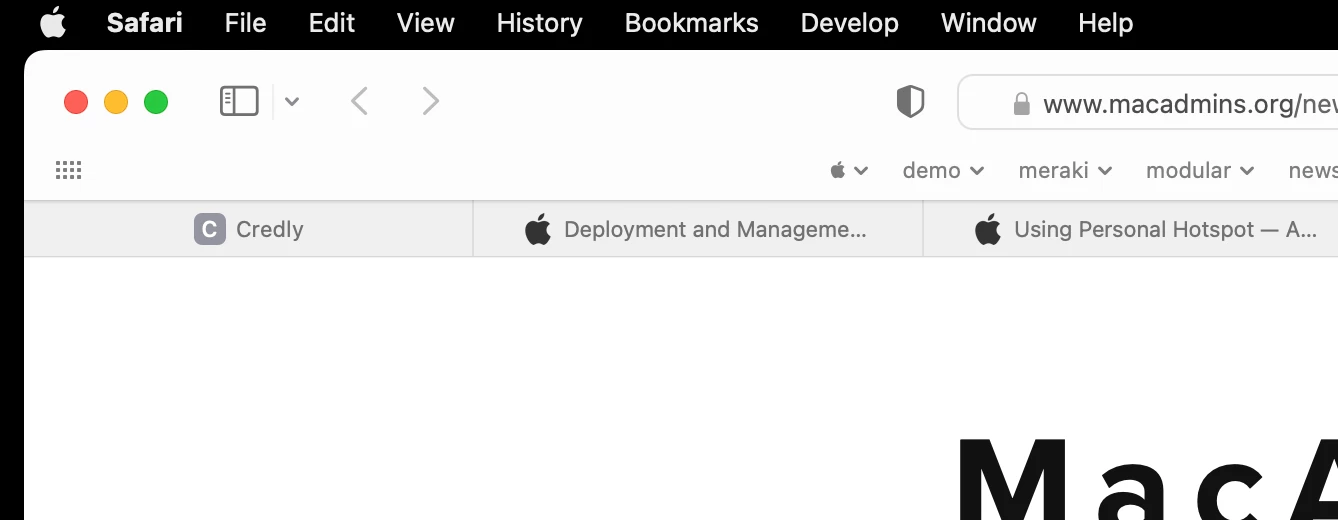
Before
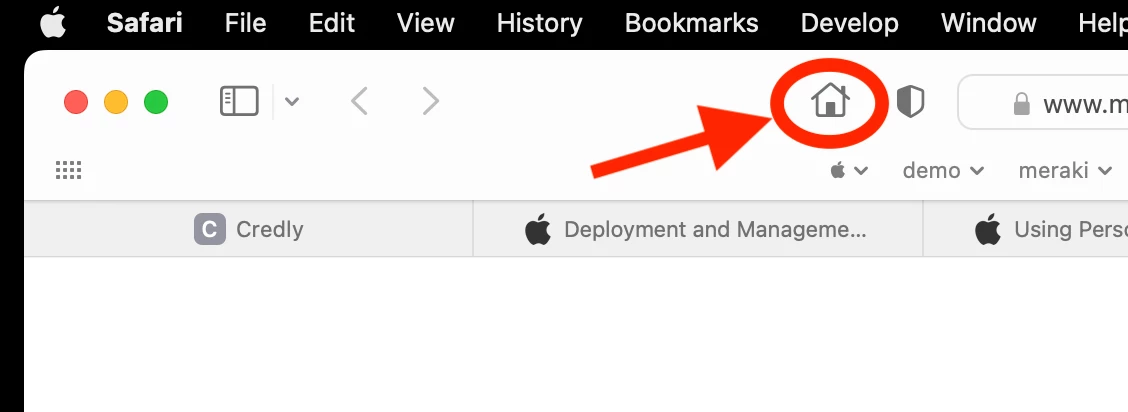
After
Enjoy!
Source: https://community.jamf.com/general-discussions-2/surfin-safari-33364