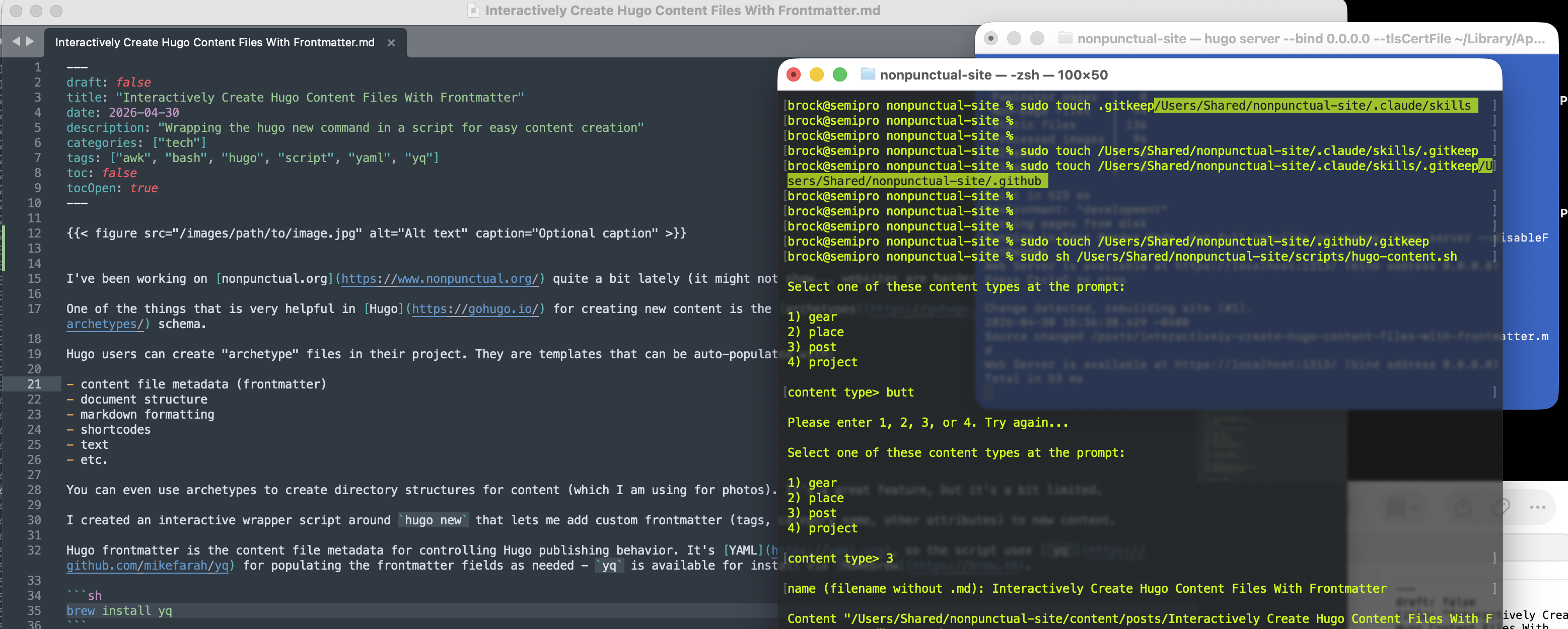
The Hugo “Droste Effect”.
I’ve been working on nonpunctual.org quite a bit lately. It might not show - websites are harder than they look.
One of the things that is very helpful in Hugo for creating new content is the archetypes schema. Hugo users can create “archetype” files in their project - .md file templates that can be populated with:
- auto-generated content file metadata (frontmatter)
- markdown formatting / document structure
- headers
- lists
- links
- raw HTML
- text
- etc.
- shortcodes
- etc.
You can even use archetypes to create directory structures for content (which I am using for photos).
It’s a great feature, but it’s a bit limited. I wanted to be able to add frontmatter metadata & create new Hugo content files in a single workflow, so, I wrote an interactive wrapper script around hugo new (the hugo command for spinning up new content files with archetypes templates).
Hugo frontmatter is the content file metadata for controlling content publishing behavior. It’s YAML, so the script uses yq for populating the frontmatter fields as needed - yq is available for install via Homebrew.
brew install yq
Running the script without arguments drops you into an interactive prompt:
Select one of these content types at the prompt:

1) gear
2) place
3) post
4) project

content type> 3

name (filename without .md): my new post

Frontmatter (Press Enter to skip):
• description:
• categories:
• tags (comma-separated):

Created: content/posts/my new post.md
You can also pass the content type and name directly as arguments to skip the prompts:
./hugo-content.sh posts "my new post"
This script is a bit particular to my site but there’s not a ton to it. This post is really intended to describe the idea of doing more with the hugo new command. The script or the idea could be easily adapted for any Hugo site. If you’ve wanted some automation around creating new Hugo files there are lots of cooler workflows than this, but, this is what I am using for now & it’s working well.
Enjoy!
#!/bin/bash
# shellcheck disable=SC2207


# variables
contyp='gear places posts projects'
prjdir='/Users/Shared/nonpunctual/nonpunctual-site'

# locate hugo project dir
if [ ! -d "$prjdir/content" ]
then
    echo "Error: $prjdir/content not found."; exit 1
fi
cd "$prjdir" || exit 1


# user interaction
type="$1"
name="$2"

if [ -z "$type" ]
then
    while true
    do
        printf "\nSelect a content type at the prompt:\n\n1) gear\n2) place\n3) post\n4) project\n\ncontent type> "; read -r typchk
        case "$typchk" in
            1 ) type='gear'; break ;;
            2 ) type='places'; break ;;
            3 ) type='posts'; break ;;
            4 ) type='projects'; break ;;
            * ) printf "\nPlease enter 1, 2, 3, or 4. Try again...\n"; continue ;;
        esac
    done
fi

if ! echo "$type" | grep -Eq 'gear|places|posts|projects'
then
    echo "Error: invalid type '$type'. Must be one of: $contyp"; exit 1
fi

if [ -z "$name" ]
then
    printf "\nname (filename without .md): "
    read -r name; echo
fi

if [ -z "$name" ]
then
    echo "Error: name is required."; exit 1
fi

confil="content/$type/$name.md"

if [ -f "$confil" ]
then
    echo "Error: $confil already exists."; exit 1
fi


# populate frontmatter
fldstr(){
    local path="$1" value="$2"

    yq --front-matter='process' -i "$path = \"$value\"" "$confil"
}

# tags
fldarr() {
    local path="$1" value="$2"
    local tagarr token
    IFS=$'\n'

    tagarr=($(printf '%s' "$value" | tr ',' '\n'))

    for token in "${tagarr[@]}"
    do
        token="${token#"${token%%[![:space:]]*}"}"
        token="${token%"${token##*[![:space:]]}"}"
        token="${token#\"}"
        token="${token%\"}"
        yq --front-matter='process' -i "$path += [\"$token\"] | $path style = \"flow\" | ${path}[] style = \"double\"" "$confil"
    done
}

# prompt for a comma-separated value written as an array; skip if empty
prmtarr() {
    local label="$1" path="$2"

    printf "• %s: " "$label"
    read -r value
    if [ -n "$value" ]
    then
        fldarr "$path" "$value"
    fi
}

# prompt for a string field; skip if empty
prmtstr() {
    local label="$1" path="$2"

    printf "• %s: " "$label"
    read -r value
    if [ -n "$value" ]
    then
        fldstr "$path" "$value"
    fi
}


# create .md file
hugo new "$type/$name.md"
fldstr ".title" "$name"
printf "\nFrontmatter (Press Enter to skip):\n"
case "$type" in
    gear)
        prmtarr "gear-categories" ".\"gear-categories\""
        prmtarr "tags (comma-separated)" ".tags"
        prmtstr "year" ".year"
        prmtstr "description" ".description" ;;
    places)
        prmtarr "place-categories (been/not been)" ".\"place-categories\""
        prmtarr "tags (comma-separated)" ".tags"
        prmtarr "year(s) (comma-separated)" ".year"
        prmtstr "description" ".description"
        prmtstr "country" ".country"
        prmtstr "region" ".region"
        prmtstr "city" ".city"
        prmtstr "timezone" ".timezone"
        prmtstr "postal code" ".postal_code"
        prmtstr "calling code" ".calling_code"
        prmtstr "when" ".when" ;;
    posts)
        prmtarr "categories" ".categories"
        prmtarr "tags (comma-separated)" ".tags"
        prmtstr "description" ".description" ;;
    projects)
        prmtarr "project-categories" ".\"project-categories\""
        prmtarr "tags (comma-separated)" ".tags"
        prmtarr "people (comma-separated)" ".people"
        prmtstr "year" ".year"
        prmtstr "description" ".description" ;;
esac
printf "\nFrontmatter populated: %s\n" "$confil"